If you’ve ever been confused while shopping for gaming hardware or reading build guides, you’re not alone. The terms “GPU” and “graphics card” get tossed around interchangeably all the time, sometimes even by people who should know better. But here’s the thing: they’re not the same, and understanding the difference can save you from making rookie mistakes when upgrading your rig or troubleshooting performance issues.
This guide breaks down exactly what each term means, how they work together, and why the distinction actually matters for your gaming setup. Whether you’re building your first PC, hunting for better framerates, or just tired of nodding along when someone mentions “discrete GPUs,” you’ll walk away with clarity.
Key Takeaways
- A GPU is the processor chip that handles graphics rendering, while a graphics card is the complete physical package including the GPU, VRAM, cooling, power delivery, and display outputs—understanding this distinction is essential for smart hardware shopping.
- Partner manufacturers like ASUS and MSI build different graphics cards around the same GPU chip, resulting in varying performance due to cooling efficiency, factory overclocks, power limits, and VRAM speeds, making direct card comparisons crucial even with identical GPUs.
- Modern integrated graphics in CPUs like Intel’s Iris Xe and AMD’s Radeon 780M can handle esports and casual gaming at 1080p, offering a cost-effective alternative to discrete graphics cards for budget-conscious gamers.
- Graphics card selection depends on your gaming needs: integrated graphics for casual 1080p gaming, mid-range cards (RTX 4060-4070 Ti) for 1440p, and high-end cards (RTX 4080+) for 4K gaming at 60+ fps.
- NVIDIA dominates ray tracing performance and DLSS upscaling technology, while AMD offers better rasterization performance per dollar and more VRAM on comparable cards, with Intel Arc emerging as a competitive budget option.
Understanding the Basics: GPU vs. Graphics Card
Let’s cut through the jargon and get straight to what these terms actually mean. The confusion exists because the two are deeply connected, but they’re fundamentally different things.
What Is a GPU (Graphics Processing Unit)?
The GPU is the actual processor, the silicon chip that handles all the heavy lifting for rendering graphics. Think of it as the brain that calculates lighting, textures, physics, and everything else that makes your game look good on screen.
NVIDIA’s GeForce RTX 4090 chip or AMD’s Radeon RX 7900 XTX chip? Those are GPUs. They’re the core components designed specifically for parallel processing, which makes them insanely good at handling the thousands of calculations needed to render frames at high speeds.
GPUs live inside graphics cards, but they also exist in other forms, integrated into CPUs, embedded in consoles, or built into smartphones. The chip itself is what you’re really paying for when you shell out for high-end hardware.
What Is a Graphics Card?
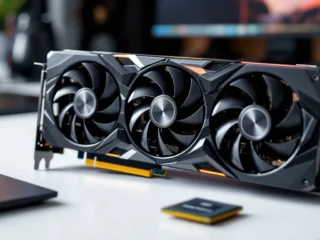
A graphics card (also called a video card or discrete graphics card) is the entire circuit board that houses the GPU along with all the supporting hardware it needs to function.
When you buy something like an ASUS ROG Strix RTX 4080 or a Sapphire Nitro+ RX 7800 XT, you’re buying a complete graphics card. That card includes:
- The GPU chip itself
- VRAM (video memory)
- Cooling solutions (fans, heatsinks, sometimes liquid cooling)
- Power delivery systems (VRMs, capacitors)
- Display outputs (HDMI, DisplayPort)
- The PCB (printed circuit board) that ties it all together
The graphics card is the physical component you slot into your motherboard’s PCIe slot. It’s a complete subsystem built around the GPU.
The Key Difference Explained
Here’s the simplest way to think about it: the GPU is the chip: the graphics card is the whole package.
It’s like the difference between a CPU and a motherboard. The CPU does the processing, but it needs the motherboard to connect to RAM, storage, and everything else. Similarly, the GPU does the graphics processing, but it needs the graphics card’s supporting components to actually function in your system.
When people say “I need a better GPU,” they usually mean they need a better graphics card. When manufacturers like NVIDIA or AMD release a new GPU architecture, third-party companies like ASUS, MSI, Gigabyte, and EVGA build different graphics cards around those same GPU chips, each with their own cooling, clock speeds, and features.
How GPUs and Graphics Cards Work Together
Understanding how the GPU and graphics card components interact gives you better insight into performance, thermals, and why some cards cost way more than others even with the same GPU.
The GPU: The Brain of Graphics Processing
The GPU’s architecture determines your gaming performance ceiling. NVIDIA’s Ada Lovelace architecture (RTX 40-series) or AMD’s RDNA 3 architecture (RX 7000-series) define things like:
- CUDA cores or Stream Processors (how many parallel calculations it can handle)
- Tensor cores and RT cores (AI processing and ray tracing)
- Base and boost clock speeds
- Memory bandwidth and interface width
When a game demands more from your system, higher resolutions, ray tracing, complex particle effects, the GPU is what’s doing that work. It takes instructions from your CPU, processes millions of pixels and vertices, and outputs frames to your display.
The raw specs of the GPU chip set the foundation, but they don’t tell the whole story.
Supporting Components on a Graphics Card
The other components on a graphics card can make or break real-world performance. Here’s what matters:
VRAM (Video Memory): This is where textures, frame buffers, and other graphics data get stored for quick access. Modern games at 1440p or 4K can easily eat through 8-12GB of VRAM. Cards with the same GPU but different VRAM amounts (like an RTX 4060 with 8GB vs. a hypothetical 12GB variant) will perform differently in memory-intensive games.
Cooling System: The GPU might be capable of hitting 2.8GHz boost clocks, but if the cooling can’t handle the heat, it’ll throttle down to 2.4GHz or lower. Premium cards from manufacturers invest in better heatsinks, more heat pipes, and larger fans to maintain higher sustained performance.
Power Delivery (VRM): A robust VRM with quality components allows stable power delivery under load, which matters for overclocking and longevity. Cheaper cards sometimes skimp here, leading to instability or shorter lifespans.
Display Outputs: This seems basic, but if you’re running multiple monitors or a VR headset, you need enough ports with the right specs. HDMI 2.1 support, for example, is crucial for 4K 120Hz gaming on newer displays.
Two graphics cards with identical GPUs can perform differently because of these components. That’s why hardware benchmarks often show variance between partner cards using the same GPU chip.
Types of Graphics Solutions for Gaming
Not all graphics processing happens on a dedicated card. Depending on your platform and budget, you’ve got a few different options.
Dedicated Graphics Cards (Discrete GPUs)
This is what most PC gamers think of when they hear “graphics card.” A dedicated graphics card is a separate component with its own GPU, VRAM, and cooling, installed in a PCIe slot.
Key advantages:
- Significantly higher performance than integrated solutions
- Dedicated VRAM (8GB to 24GB on current-gen cards)
- Upgradeable without replacing your entire system
- Essential for 1440p/4K gaming, high refresh rates, and ray tracing
Current-gen options in 2026 range from budget cards like the RTX 4060 and RX 7600 up to monsters like the RTX 4090 and RX 7900 XTX. These are what you need for serious gaming, content creation, or anything graphically demanding.
Integrated Graphics (Onboard GPUs)
Integrated graphics are GPU cores built directly into the CPU. Intel’s Iris Xe graphics and AMD’s Radeon 780M (in Ryzen 7000-series APUs) are examples.
These share system RAM instead of having dedicated VRAM, and they’re far less powerful than discrete solutions. But they’ve gotten surprisingly capable:
- Good enough for esports titles at 1080p (CS2, Valorant, League)
- Casual gaming and older titles
- Perfect for office work, streaming, and non-gaming tasks
- No extra cost, no extra power draw, no extra space needed
If you’re on a tight budget or building a compact system, modern integrated graphics can handle light gaming. Just don’t expect to max out Cyberpunk 2077 with ray tracing.
Mobile Graphics Solutions
Laptops use different versions of desktop GPUs, optimized for power efficiency and thermals. An RTX 4070 Laptop GPU isn’t the same as a desktop RTX 4070, it typically performs closer to an RTX 4060 desktop card due to lower power limits and clock speeds.
Mobile graphics cards are soldered onto the laptop motherboard, so they’re not upgradeable. When you buy a gaming laptop, you’re locked into that GPU for the device’s life.
Handheld gaming PCs like the Steam Deck, ROG Ally, and Legion Go use custom APUs with integrated graphics similar to what you’d find in consoles. They’re efficient but limited compared to desktop discrete GPUs.
Why the Terminology Matters for Gamers
Getting the terms right isn’t just pedantic, it actually affects how you shop, troubleshoot, and understand performance.
Shopping for Gaming Hardware
When you’re hunting for an upgrade, knowing the difference helps you filter options correctly.
If you search for “RTX 4080 GPU,” you’ll get results for graphics cards from different manufacturers, all using the same RTX 4080 GPU chip but with different cooling, clock speeds, and prices. Understanding that the GPU is just one component helps you evaluate whether a $1,199 ASUS model is worth $150 more than a $1,049 MSI model.
You’re not just comparing GPU specs: you’re comparing the entire package: warranty, cooling performance, noise levels, build quality, and features like RGB or dual-BIOS switches.
Reputable sources like Tom’s Hardware test partner cards individually because those differences matter in real-world use.
Troubleshooting and Upgrades
When something goes wrong, precise language helps you diagnose the issue.
“My GPU is overheating” could mean the GPU chip itself is hitting thermal limits (a driver or workload issue), or it could mean the graphics card’s cooling system is failing (dust buildup, dead fan, dried thermal paste).
Understanding the components helps you narrow down whether you need a driver update, better case airflow, a repaste, or a full card replacement.
When you’re upgrading, you can’t just swap the GPU chip, you replace the entire graphics card. Knowing this prevents confusion when reading upgrade guides or watching build videos.
Understanding Performance Specs
Specs sheets can be misleading if you don’t know what you’re looking at.
A card might advertise “NVIDIA GeForce RTX 4070 Ti GPU” with a 2.6GHz boost clock. That boost clock is specific to that manufacturer’s card, not the reference GPU spec from NVIDIA. The base RTX 4070 Ti GPU might boost to 2.5GHz, but the card manufacturer overclocked it.
Similarly, VRAM amount is a graphics card spec, not a GPU spec. The RTX 4080 GPU doesn’t inherently have 16GB, NVIDIA specified 16GB for their RTX 4080 design, but theoretically, a partner could build a variant with different memory (though they don’t in practice for flagship cards).
Knowing what’s determined by the GPU versus the card helps you compare apples to apples.
Common Misconceptions About GPUs and Graphics Cards
Let’s clear up some myths that trip up even experienced builders.
“You Can Upgrade Just the GPU”
Nope. The GPU chip is soldered or permanently attached to the graphics card’s PCB. You can’t pop off an RTX 4070 chip and replace it with an RTX 4080 chip.
When you upgrade, you’re replacing the entire graphics card. The old card comes out of the PCIe slot, and the new one goes in. There’s no such thing as a “GPU upgrade kit” for consumers.
This misconception probably comes from how people casually say “I’m upgrading my GPU” when they mean “I’m upgrading my graphics card.” The language just stuck.
“All Graphics Cards Have the Same Performance with the Same GPU”
Not quite. While the GPU chip sets the baseline, partner cards vary in performance due to:
- Factory overclocks: Some cards ship with higher boost clocks out of the box
- Power limits: Higher power limits allow sustained higher clocks under load
- Cooling efficiency: Better cooling = less thermal throttling = higher sustained performance
- VRAM speed: Some manufacturers use faster memory modules
The differences are usually small, maybe 3-7% between a budget model and a premium one with the same GPU. But in competitive gaming where every frame matters, or when you’re trying to hit a stable 144fps, those margins add up.
Detailed analysis from sites like TechSpot often reveals these performance gaps between partner models.
“Integrated Graphics Are Always Worse”
For gaming? Yeah, integrated graphics are generally way behind discrete cards. But “always worse” is too broad.
AMD’s Radeon 780M and 890M (in their latest APUs) can match or beat entry-level discrete cards from a few generations ago. For esports titles, indie games, or older AAA games at 1080p medium settings, they’re genuinely viable.
If your gaming diet consists of Fortnite, Rocket League, and Stardew Valley, a good integrated GPU might be all you need. You save money, power, and space, no need for a $300+ graphics card.
For anything beyond that, sure, you’ll want discrete graphics. But the gap has narrowed significantly.
Choosing the Right Graphics Solution for Your Gaming Needs
Knowing the difference between GPUs and graphics cards helps, but what should you actually buy? Let’s break it down by use case.
PC Gaming Requirements
Your graphics needs scale with resolution, refresh rate, and the games you play.
1080p 60Hz (Casual Gaming):
- Integrated graphics (Radeon 780M, Iris Xe) can handle esports and older titles
- Budget discrete cards (RTX 4060, RX 7600) for modern AAA games at medium-high settings
1080p 144Hz+ (Competitive Gaming):
- Mid-range cards (RTX 4060 Ti, RX 7700 XT) to push high framerates in competitive shooters
- VRAM isn’t as critical here since 1080p textures don’t eat much memory
1440p 60-144Hz (Enthusiast Gaming):
- Upper mid-range to high-end (RTX 4070 Super, RX 7800 XT, RTX 4070 Ti)
- 10-12GB VRAM minimum for newer titles with high-res textures
4K 60-120Hz (Ultra Enthusiast):
- Top-tier cards only (RTX 4080, RTX 4090, RX 7900 XTX)
- 16GB+ VRAM for future-proofing
- Expect to pay $1,000+ for this tier
Ray tracing and DLSS/FSR support matter more as you move up in resolution. NVIDIA’s RT cores give them an edge in ray-traced games, while AMD often offers better rasterization performance per dollar.
Console vs. PC Graphics Architecture
Consoles use custom APUs with integrated graphics, essentially souped-up versions of what you’d find in a high-end laptop.
The PS5 and Xbox Series X use AMD RDNA 2-based GPUs with performance roughly comparable to an RX 6700 XT desktop card (though direct comparisons are tricky due to optimization differences). The Series S is closer to an RX 6500 XT.
Console GPUs are fixed, you can’t upgrade them. The trade-off is that developers optimize specifically for that hardware, often squeezing out better performance than you’d expect from equivalent PC specs.
PC gaming gives you flexibility: you can upgrade your graphics card every few years, tweak settings for performance or visuals, and choose from a massive range of hardware.
Mobile Gaming Considerations
If you’re shopping for a gaming laptop, focus on the GPU designation and TGP (Total Graphics Power).
A laptop with an RTX 4060 Laptop GPU at 140W will significantly outperform the same GPU at 80W in a thinner, lighter chassis. Manufacturers don’t always advertise TGP clearly, so you might need to dig into reviews or spec sheets.
For handhelds like the Steam Deck or ROG Ally, you’re looking at integrated graphics performance. They target 720p-1080p at 30-60fps, perfectly fine for portable gaming but nowhere near desktop discrete GPU performance.
Don’t expect to upgrade mobile graphics. What you buy is what you’re stuck with for the device’s lifespan.
Major GPU Manufacturers and What to Know
Three companies dominate the GPU market, each with different strengths and ecosystems.
NVIDIA GPUs and Graphics Cards
NVIDIA designs the GPU chips (like the Ada Lovelace architecture in RTX 40-series), and partners like ASUS, MSI, Gigabyte, and others build graphics cards around them.
NVIDIA also sells “Founders Edition” cards, their own reference designs with unique cooling solutions. These usually launch first and set the MSRP baseline.
Key strengths:
- Ray tracing performance: RT cores are more mature than AMD’s
- DLSS (Deep Learning Super Sampling): AI upscaling tech that boosts framerates with minimal visual loss
- CUDA ecosystem: Important for content creators, not just gamers
- Driver stability: Generally solid, with regular Game Ready updates
Weaknesses:
- Higher prices, especially at the top end
- Less VRAM on some mid-range cards compared to AMD equivalents
Current lineup (2026): RTX 40-series, with RTX 50-series rumored for late 2026.
AMD GPUs and Graphics Cards
AMD builds GPUs (RDNA 3 architecture in RX 7000-series) and also partners with third-party manufacturers for graphics cards. Unlike NVIDIA, AMD doesn’t sell their own reference cards directly, everything goes through partners.
Key strengths:
- Rasterization performance per dollar: Often beats NVIDIA in raw FPS without ray tracing
- More VRAM: Cards like the RX 7800 XT (16GB) offer more memory than NVIDIA equivalents
- FSR (FidelityFX Super Resolution): Open-source upscaling that works on any GPU, though not quite as good as DLSS
- Better Linux support: If that’s your thing
Weaknesses:
- Ray tracing performance lags behind NVIDIA
- Drivers can be hit-or-miss, especially at launch
Current lineup: RX 7000-series, with competitive pricing on mid-range options.
Intel’s Entry into Discrete Graphics
Intel Arc launched their discrete GPU line with the A770 and A750 cards in late 2022, and they’ve been refining the lineup since.
As of 2026, Intel’s second-gen Arc GPUs (Battlemage) are making a stronger showing in the budget-to-midrange segment. They’re finally competitive in driver maturity and performance.
Key strengths:
- Aggressive pricing to gain market share
- Good hardware encoding for streamers and content creators (AV1 support)
- XeSS upscaling tech improving with each driver update
Weaknesses:
- Still playing catch-up in optimization for older games
- Smaller driver team means slower fixes for edge cases
- Less mature ecosystem than NVIDIA or AMD
Intel’s a wildcard option, worth considering if you’re on a tight budget and mostly play modern, well-optimized titles.
Conclusion
So, is a GPU the same as a graphics card? No, but they’re inseparable partners. The GPU is the processing chip that renders your games, while the graphics card is the complete hardware package that houses the GPU along with memory, cooling, power delivery, and everything else needed to make it work.
Understanding this distinction helps you make smarter buying decisions, troubleshoot issues more effectively, and cut through marketing fluff when evaluating hardware. Whether you’re building your first rig, upgrading for better framerates, or just trying to understand what you’re actually paying for, knowing what each component does puts you ahead of the curve.
Next time someone asks “which GPU should I buy?” you’ll know they really mean “which graphics card,” and you’ll have the knowledge to steer them right.
About Author